About this Template
Artikle is a fully-featured membership template built for Framer. It combines a clean, editorial aesthetic with a robust content access system, giving you everything you need to publish articles, gate premium content, and grow a paying readership from day one.
Who This Template Is For
Artikle is built for writers, journalists, independent publishers, and niche media creators who want to launch a professional online publication without the complexity of custom development. It's ideal for anyone running a newsletter who wants to level up to a full web presence, or for creators building a subscription-based content business around topics like news, culture, sports, science, or lifestyle.
Why Artikle?
Most editorial templates stop at looks. Artikle goes further — it's wired for monetization out of the box. Powered by FrameAuth V2, it handles member authentication, subscription gating, and access control natively inside Framer. Free visitors see your public articles; paid members unlock everything. No third-party workarounds, no external CMS headaches. Just a beautiful site that earns.
What's Included
Multi-category article feed (News & Analysis, Science & Technology, Sports, Lifestyle, Culture & Arts)
Free and members-only article states with FramerAuth V2 integration
Individual article pages with author profiles, category tags, and publication dates
Homepage with featured hero article, latest articles grid, and recommended reads
Clean, typographic design system optimized for long-form reading
Fully responsive layout across desktop and mobile
Ready to publish — just swap in your content and connect FramerAuth
Requirements
Artikle requires a FrameAuth (formerly FramerAuth) subscription to enable membership and content gating functionality. Plans start at $14.99/month (billed yearly) and include a free 14-day trial. Visit frameauth.com/pricing to choose the right plan for your audience size.
Structured Data
This template includes a placeholder structured data script in Site Settings → Code. Replace it with your own before launching — tailored to your business type and content.
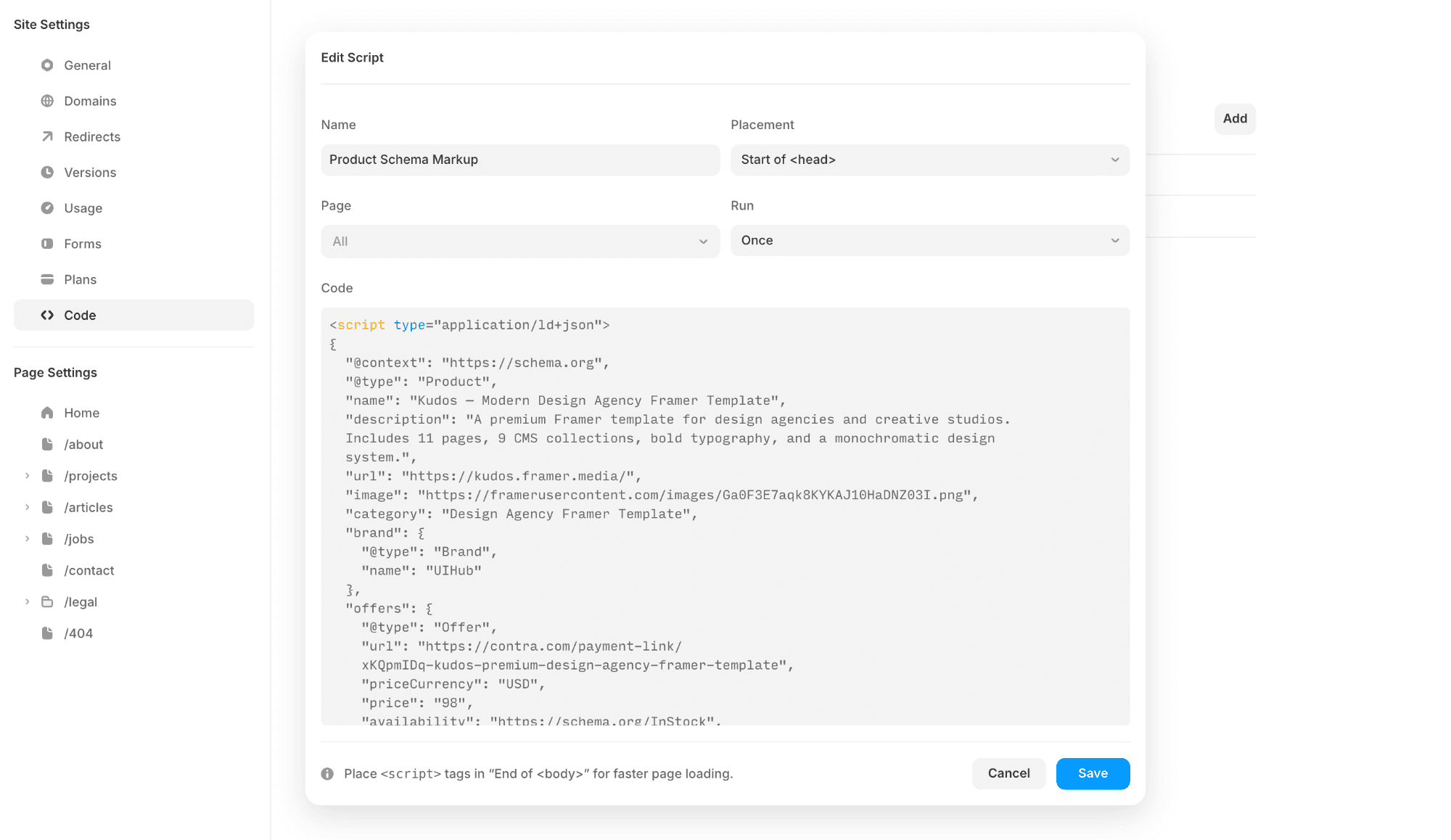
Helpful resources:
Schema.org — full reference for all schema types
Google's Rich Results Test — validate your script
Google Structured Data Docs — official guide
Pages:
Home - The main feed of the publication. Features a hero article, a latest articles grid, curated recommendations, and category sections (News & Analysis, Science & Technology, Sports, Lifestyle, Culture & Arts) with subcategory spotlights alongside the main feeds.
Articles -The individual article page. Displays the full article content with support for free and members-only (gated) states powered by FramerAuth V2. Includes author profile, category tag, publication date, and a bookmark action.
Categories - A filtered feed page showing all articles belonging to a specific category. Used as the destination for "View More" links from the homepage category sections.
Subcategories - A filtered feed page for a specific subcategory (e.g. Personal Finance, Health & Wellness, Football, Technology). Allows readers to drill deeper into niche topics within a broader category.
Authors - A directory listing all authors contributing to the publication, with links to their individual profile pages.
Author page - A dedicated page for each author, showcasing their bio and a feed of articles they've written.
Subscribe - The membership subscription page. Displays pricing plans and prompts visitors to become paying members to unlock gated content. Powered by FrameAuth V2.
Sign-in - The standard login page for existing members. Email and password-based authentication via FrameAuth V2.
Sign-in-with-otp - An alternative login flow that initiates a one-time password (magic link) sign-in for passwordless authentication.
Otp - The page where users enter or confirm their one-time password to complete the magic link authentication flow.
Sign-up - The account creation page for new members registering to access the publication.
Forgot-password - Allows existing members to request a password reset link sent to their email.
Reset-password - The page where users set a new password after clicking the reset link from their email.
My-account - The member dashboard where logged-in subscribers can view and manage their account details and subscription.
Bookmarks - A personal saved articles page where members can revisit articles they've bookmarked while browsing the publication.
Success - A confirmation page shown after a successful subscription or payment, welcoming the new member.
Legal - A dynamic page for legal content such as Terms & Conditions, Privacy Policy, and Cookie Policy.
404 - The custom not-found page displayed when a visitor navigates to a URL that doesn't exist on the publication.
Features:
CMS-driven content for projects, articles, and job listings
Sticky Scrolling for improved navigation and context
Forms to capture inquiries and project requests
Layout Templates ensuring consistent design structure
Global Styles for efficient visual adjustments