What Framer 3.0 Means for Creators
Framer 3.0 is the biggest single-day release in the platform’s history, and most coverage has fixated on the AI Agents demo. But if you build or sell templates, the headline feature isn’t necessarily the one that matters most. Here’s an honest look at what actually changes for creators.
9
minutes read

The Biggest Framer Update in Years, Here's What Actually Matters
On June 16, 2026, Framer shipped its biggest single-day release ever. No waitlist, no phased rollout, Agents, Branching, External Agents, a rebuilt Community, and a new pricing model all went live the same day as the keynote.
Most of the coverage this week has focused on the AI Agents demo, and it's genuinely impressive. But if you're a template creator, designer, or someone running a business on Framer's marketplace like I am, the headline feature isn't necessarily the one that affects you most. This article is written from that angle: what actually changes for creators, not just what looks good in a demo video.
The Four Pillars of Framer 3.0
Before getting into what matters for creators specifically, here's the quick overview of what shipped:
Agents: AI built directly into the canvas. Agents can design entire pages, create components, add breakpoints and effects, write code, connect to the CMS, run SEO and accessibility audits, and surface analytics, all without leaving Framer.
Branching: a Git-style workflow that lets teams (and their Agents) make changes in an isolated branch, review everything, and merge only when ready. This is what makes AI practical for production sites rather than just prototyping.
External Agents: tools like Claude Code, Cursor, Codex, and Gemini CLI can now connect to a Framer project via the Framer CLI. The connection flow demoed at the keynote was straightforward: run a command in your terminal, paste your project link, and approve an OAuth-style handshake. I haven't tried this myself yet, but it's worth watching closely given how much tedious CMS and content work it could realistically save.
Community: a rebuilt space for creators to share work, build reputation, and find opportunities, combining the Marketplace, Gallery, Feed, Members, and Contests in one place inside the Framer app.
Alongside these four, Framer also introduced AI Credits as the new usage unit for AI features, and made a more debated change: template marketplace submissions no longer go through pre-publish review.
What This Actually Means If You Sell Templates
This is the part that affects creators like me directly.
The marketplace review process is gone
This is the change that affects creators most directly. Previously, every template submission went through a manual review before going live. That gate is gone now, creators can publish the moment they're ready.
The community reaction has been mixed. Some worry this opens the door to copied or low-quality templates flooding the marketplace. That's a fair concern, and it's too early to know how it plays out at scale.
My own read leans more optimistic. Framer's discovery system is built around product quality and distribution signals, not a static listing, which suggests creators who've invested in craft, consistency, and a real audience should hold their position even as more templates arrive. Less friction also means faster iteration: shipping, learning, and adjusting based on real signal instead of waiting on a review queue. More noise is a real cost, but for creators with a track record, it's a trade-off that favors them more than it hurts them.
The Community replaces the old Marketplace experience
The new Community brings the Marketplace, Gallery, Feed, Members, and Contests into a single space inside the Framer app, designed explicitly to help creators "showcase their work, build reputation, and grow their businesses."
This is a meaningful shift from how discovery worked before. Reputation and visible activity, likes, comments, feed presence, now play a more direct role in how creators get found, rather than the marketplace being purely a static catalogue. For creators serious about selling templates, building a presence in the Community, not just listing products, is likely to matter more going forward than it did before.
The creator payout numbers are real and growing
Framer disclosed that it paid creators $6.5 million in 2025, a 200% year-over-year increase, with no revenue share taken. Combined with platform numbers of 188,000 companies, 364 million monthly visitors, and over 4 million sites built on Framer, the addressable market for template creators keeps expanding. The opportunity looks genuinely bigger than it was a year ago, even with more competition arriving alongside it.
What This Means If You Design or Build in Framer
Beyond the marketplace and creator economics, the AI Agents and Branching features change the actual day-to-day work of building in Framer.
Agents work inside your existing design, not instead of it
The most important detail about Framer Agents, and the thing that separates this from the "type a prompt, get a generic page" AI tools that came before it, is that Agents can see and edit your actual canvas. They understand your existing pages, components, CMS collections, text styles, and color tokens. That means asking an Agent to build something doesn't produce a disconnected, generic result, it works within the design system already in place.
For template creators, this is genuinely useful in production. Asking an Agent to make breakpoints, fix responsiveness issues across a template, write a code component, or wire up a CMS collection works inside the structure already built, not against it.
Branching makes AI changes safe to experiment with
This is the feature that makes the Agents practical rather than risky. Before publishing any AI-driven change, whether a full page redesign or a global responsiveness fix, the change can be isolated in a Branch, reviewed in full, and merged only when satisfied. For anyone maintaining multiple live templates, this safety net matters. "Make every page responsive" is a genuinely useful prompt to give an Agent, but it's not something that should land directly on a live, selling template without review.
External Agents open the door to existing AI workflows
For creators who already use Claude Code, Cursor, or another AI coding tool, External Agents let that workflow connect directly into Framer via MCP, without consuming Framer's AI Credits. The standout demo from the keynote showed Claude Code building five relational CMS collections, mapping and importing images, wiring reference fields, and populating detail pages, all from a single prompt against a messy local folder of CSVs and markdown files.
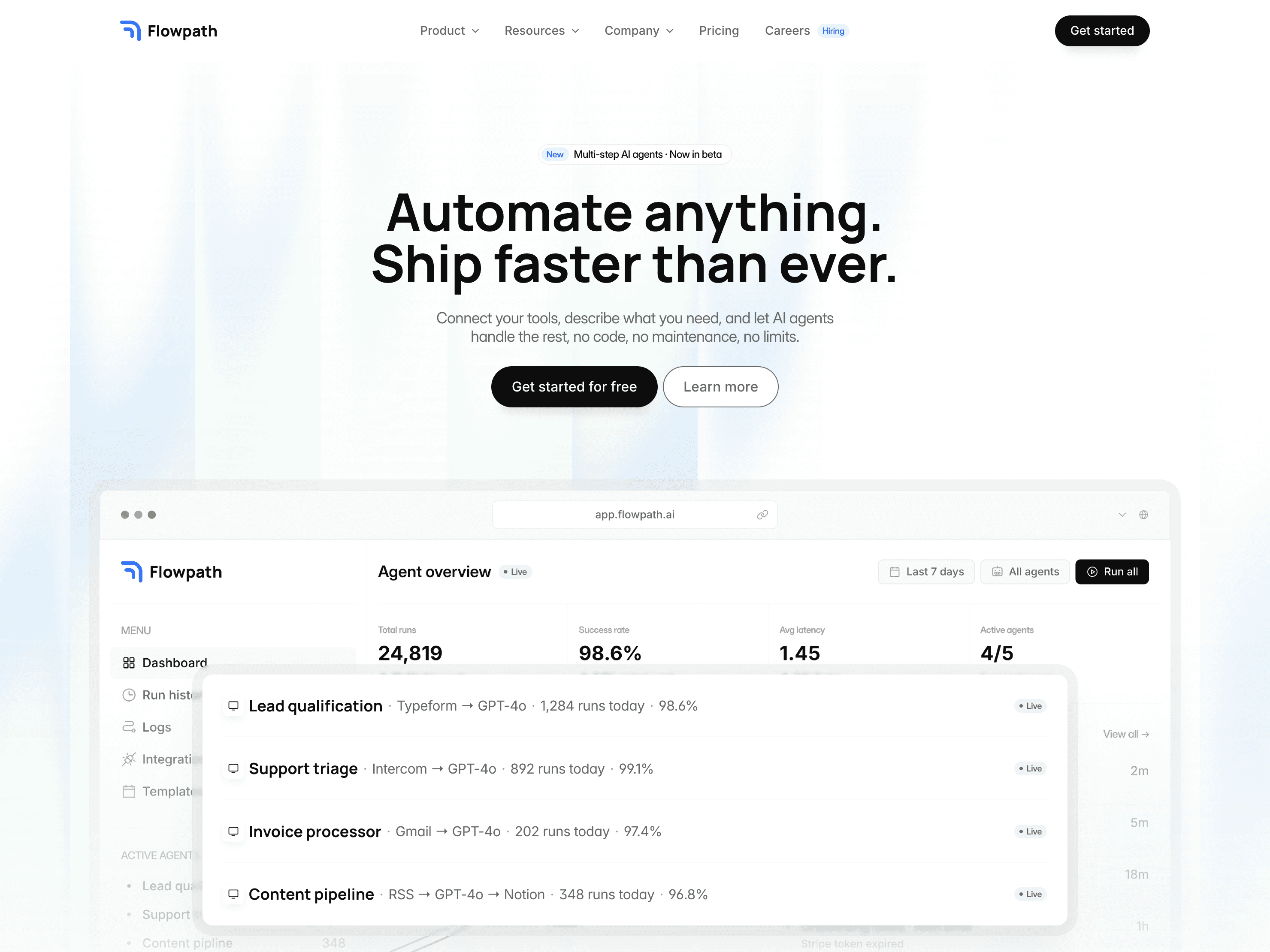
For creators managing large CMS-driven templates, think Kudos with its 9 collections, or Flowpath-style infrastructure templates, this kind of workflow could meaningfully cut down the most tedious part of template-building: populating realistic demo content across dozens of CMS items.
AI Credits, what they cost and how they work
AI features in Framer now run on a credit system.
Free plan workspaces get 500 credits a day, up to 1,000 per month. That's good for roughly two landing pages a day on Free, around five a month on Basic's 1,000 credits, and about ten a month on Pro's 3,000, though exact costs depend on the size and complexity of the work. You can choose between Sonnet 4.6, Opus 4.8, and GPT 5.5 depending on the task, and if a result misses, Framer's "Mark as Bad" option refunds the credits.
External Agents connect outside tools like Claude Code to Framer via the Framer CLI without consuming Framer's AI Credits, useful to know if you're already paying for an external AI coding tool.
A Few Honest Trade-Offs
Pricing: Some users criticized high prices in reaction to the launch, worth noting alongside the fact that editor seat pricing actually dropped from $40 to $20/month in this release; the complaint likely centers on AI credit costs for heavy usage rather than the base subscription.
Performance and memory. Sentiment analysis from the launch noted user criticism around memory use, worth monitoring on large, complex projects.
The marketplace review removal remains genuinely debated. As covered above, this isn't a settled question within the creator community, and reasonable people land on different sides of it.
What I'm Doing Differently
A few practical changes I'm making in response to 3.0, in case they're useful for your own workflow:
Doubling down on quality and consistency. With the review gate gone, the templates that stand out will be the ones with a consistent track record, which is part of why writing detailed, accurate template descriptions and building genuine credibility matters more now, not less.
Building a presence in the new Community, not just maintaining marketplace listings, since reputation signals are explicitly part of how discovery works now.
Testing Branching before using Agents on any live, selling template. Given these are products generating real revenue, isolating any AI-driven change in a branch before it touches a live template feels like the responsible way to use this feature for commercial work.
Watching how External Agents handle CMS population. The Claude Code demo populating five relational collections from a messy folder is exactly the kind of tedious work that eats hours when building a content-rich template. If that holds up in practice, it's a genuine time-saver worth incorporating into the template-building process.
Final Thoughts
Framer 3.0 is a significant release, probably the most consequential update to the platform since the CMS itself. For creators, the real story isn't really the AI demo. It's the combination of AI tooling that respects existing design systems, a safety net (Branching) that makes that AI usable in production, and a marketplace that's now more open but also more competitive.
The opportunity looks real. The platform keeps growing, creator payouts keep growing, and the tools for building faster are genuinely better. More openness also means more noise, and standing out now likely depends more on consistency, credibility, and community presence than it did when a review gate did some of that filtering.
If you're building or selling on Framer, this is a good moment to double down on what's already been working, quality, clarity, and a real presence, while treating the new AI tools as an accelerant rather than a replacement for that.

Cristian Mielu
Founder UIHub.design
Share this page on:
Complete Templates collection
$1,286
$290
Best value
All Cristian Mielu's
12
premium templates.
Every new one included, forever.
Payments powered by
Other useful articles


Better Framer skills are a few reads away →